





An Autopsy of AI-Generated 3D Slop
Is AI-generated 3D usable in e-commerce? This post details why we don't touch it.
"Why aren't you using AI to generate your 3D models?"
Humans are starting to nail the art of AI slop identification in text, images, and video. But what about 3D? We create 3D product configurators for e-commerce brands, and we've been asked many times why we're not using AI to generate the product models we use.
While LLMs can write code and diffusion models can win art competitions, the 3D generation landscape remains extremely... bumpy.
These generated assets feature a deceptive level of "good enough" at a glance, but suffer a complete breakdown of utility upon closer inspection. We recently worked with the American Pickleball League brand to create a paddle customizer.
For AI shits and giggles, we decided to compare an AI-generated model with our handcrafted version. Below is a 3D view of both assets. Can you spot the difference?
What about now?
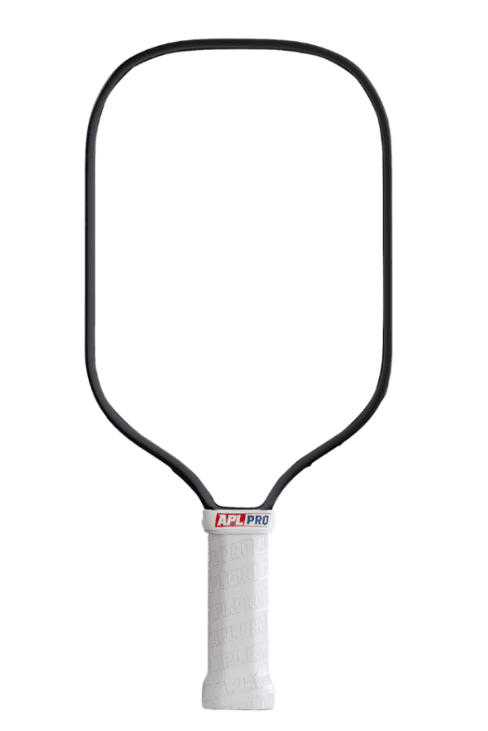
Below is the reference image we fed to the AI.
Side by side comparison.
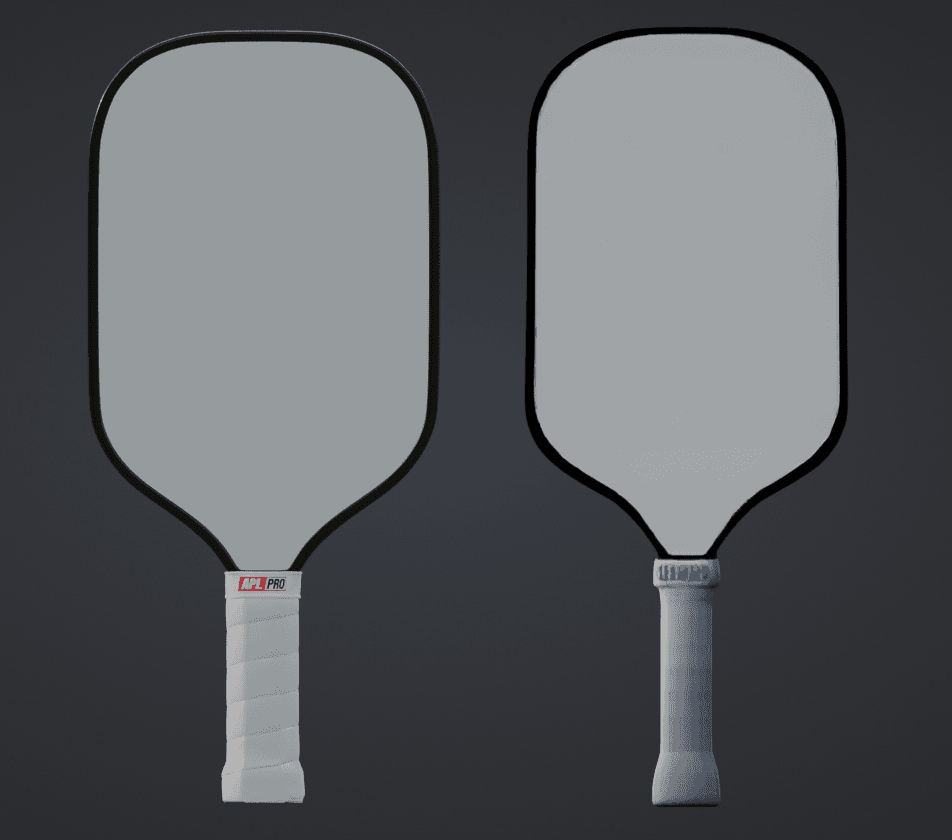
Analyzing the 3D Artifacts
After running it through Trellis (one of the leading open source image-to-3D model generators) and comparing it against the handcrafted pickleball paddle our internal team created, I was able to group the design patterns based on their actual usability.
Trellis generated the model in about 8 seconds, which felt fast. The model was only ~1mb, which felt small! Maybe this could work! Perhaps the customer buying their next pickleball paddle won't be able to tell the difference!
But when you peel back the onion, it starts to get messy.
There are clear clusters composed of the exact same artifacts found in almost all current generative 3D models: wobbly silhouettes, illegible text, and impossibly bad UV maps.
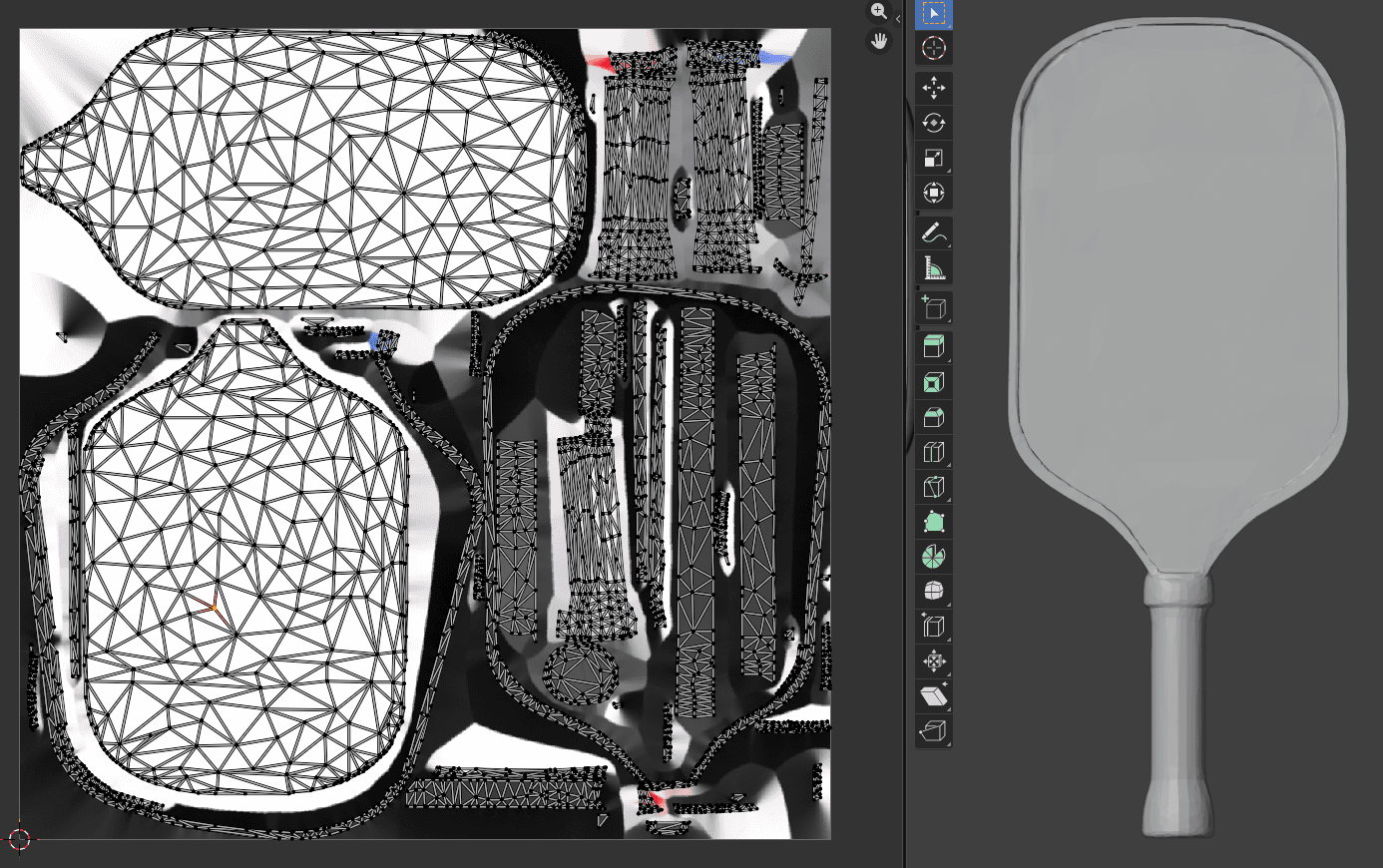
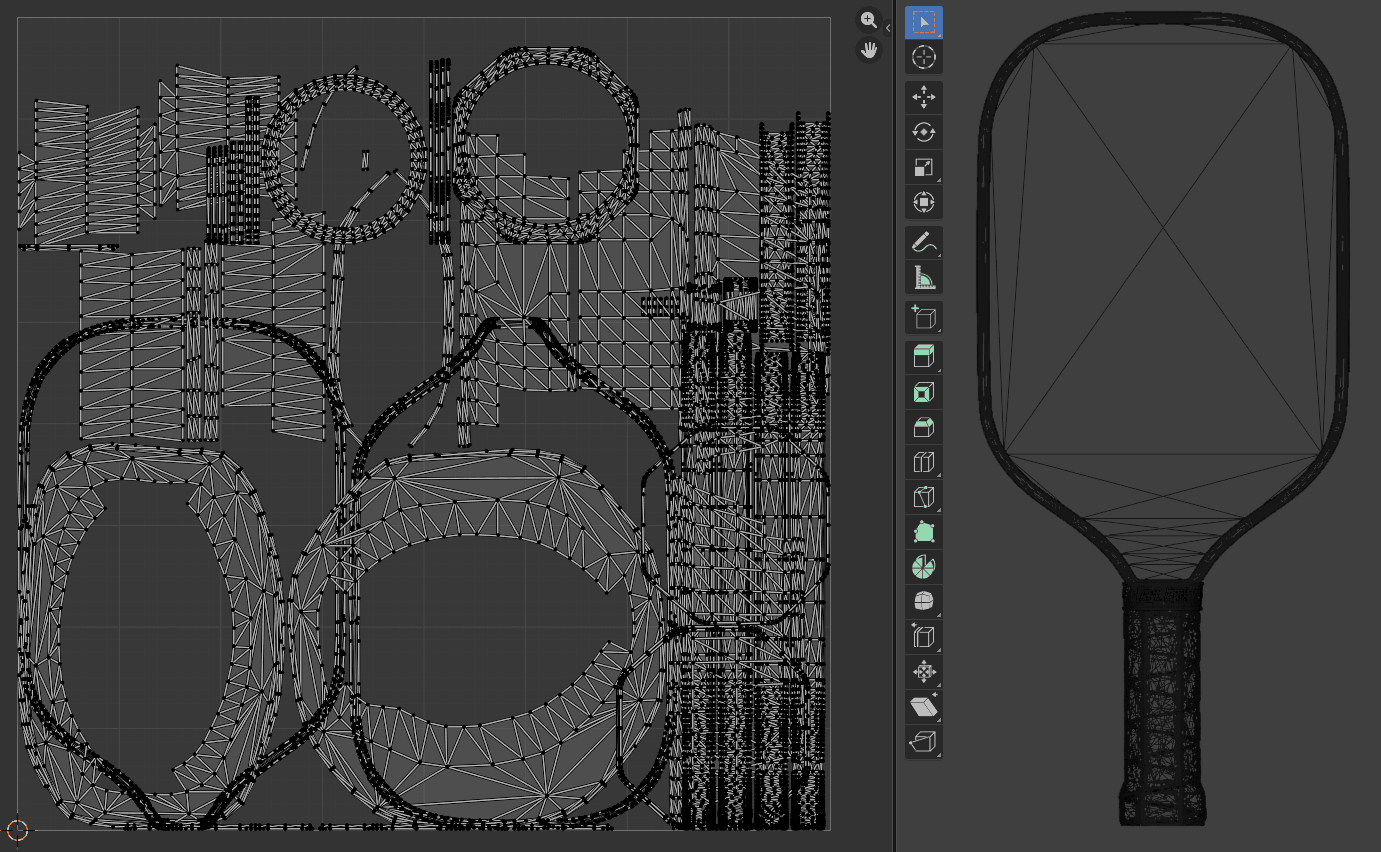
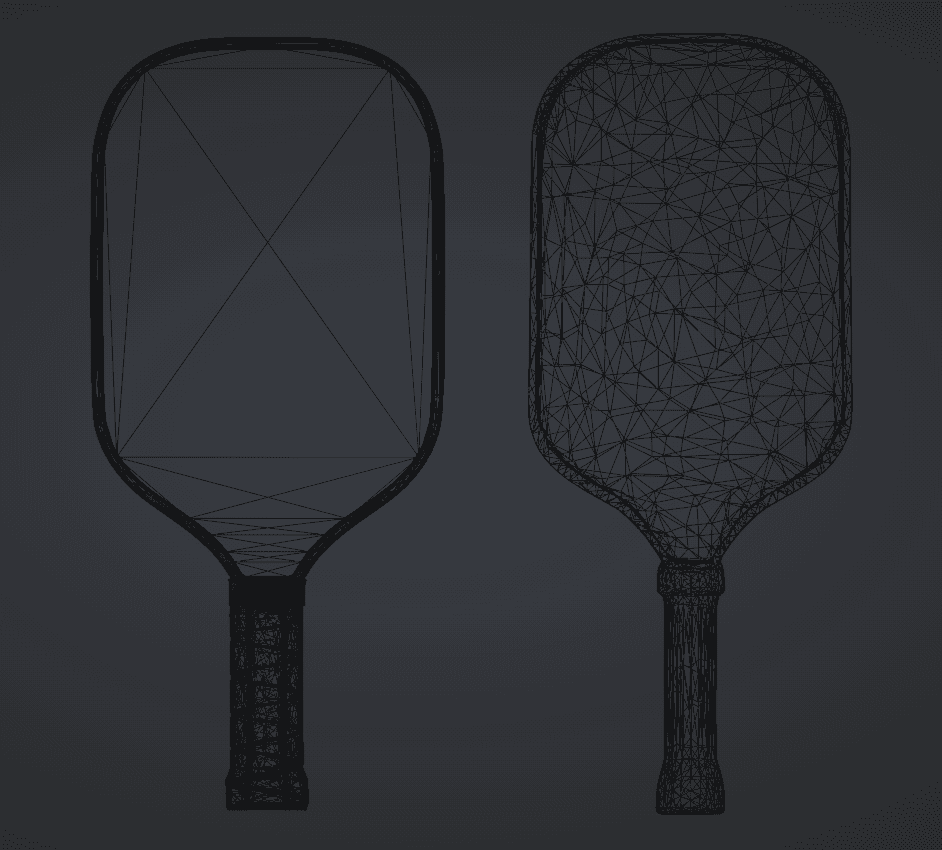
Have a closer look at the wireframes
Vertically, the AI models move from "chaotic noise" to "slightly smoothed noise," but never to actual structure. Horizontally, the textures go from "hallucinated gibberish" to "baked-in lighting."
Interestingly, the AI pickleball paddle seems to avoid straight lines entirely.
This differs drastically in behavior from the handcrafted model, which inherently understands that a manufactured object requires symmetry. This suggests that generative 3D is relatively unique in its concentration of unusable, uneditable "slop geometry."
Consistency also appears to be a myth in 3D generation. When looking at multiple generations from the exact same image, it's clear that the model just guesses wildly. Below is a sample of three different AI attempts side-by-side with the handcrafted handle.
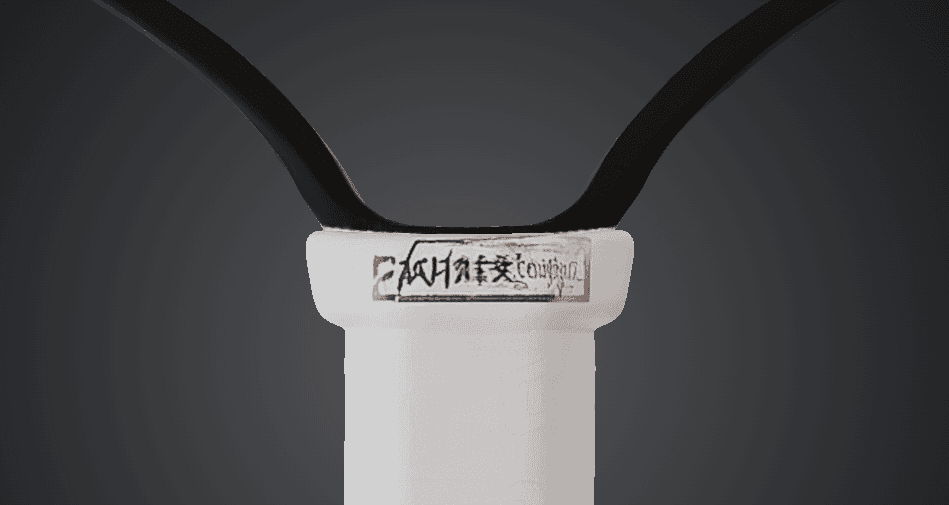 Attempt 1
 Attempt 2
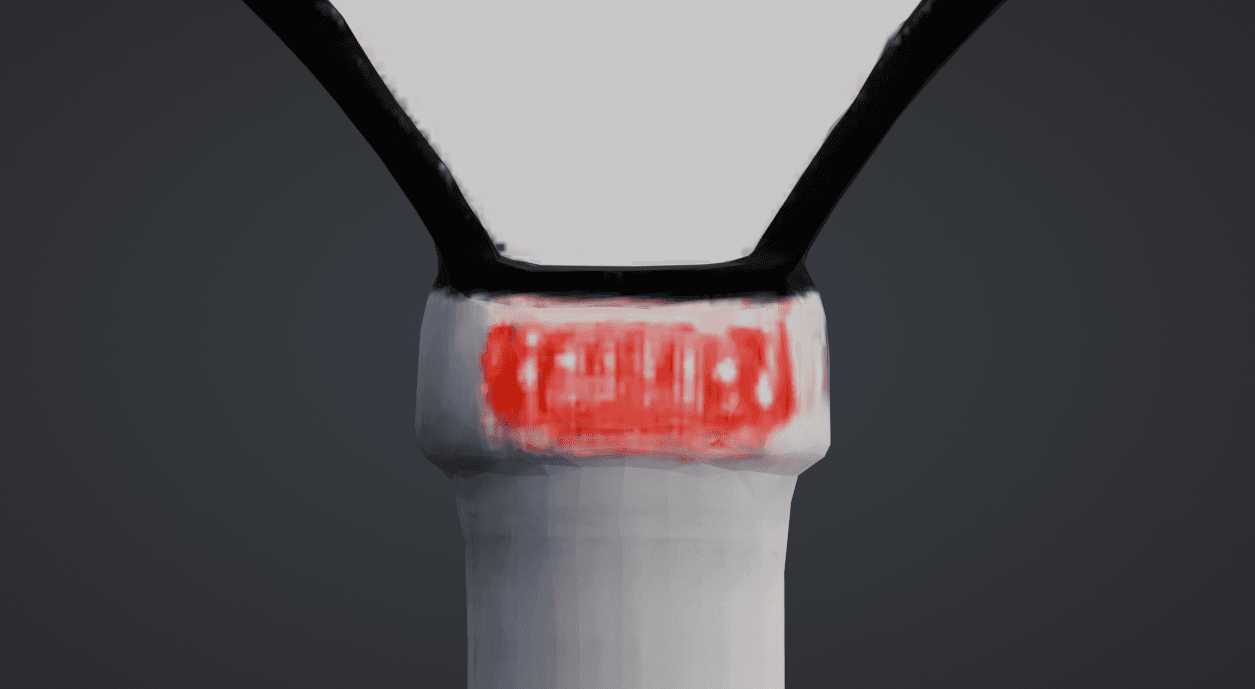 Attempt 3
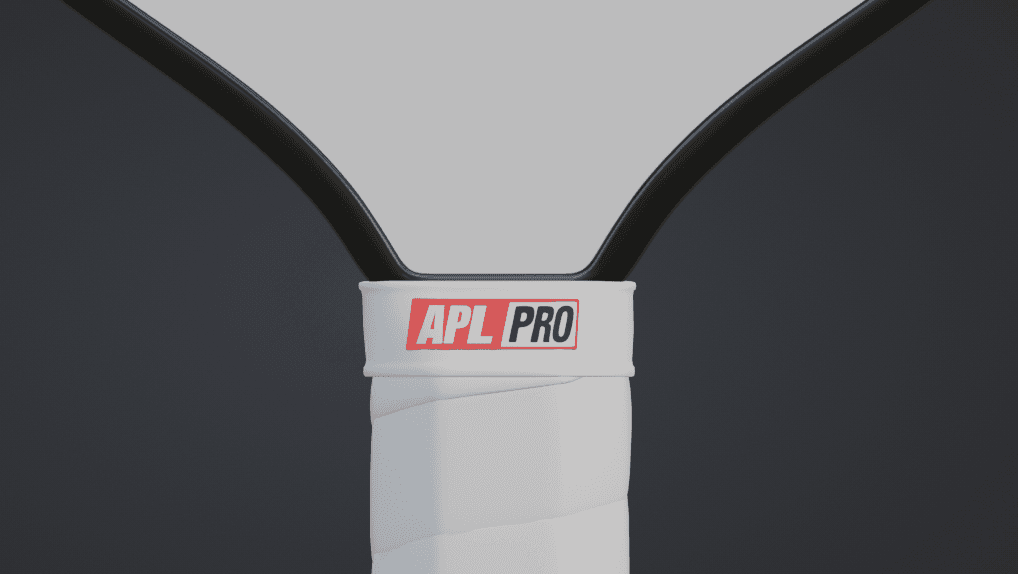 Handcrafted
This leads us to our next critical question: why?
Why AI 3D Generation Fails eCommerce Standards
To avoid getting extremely technical, here are the 3 leading reasons why the AI model is technically "lightweight" (1MB) but practically "heavy" (unusable).
1. The Topology Trap: Triangle Soup
Handcrafted 3D relies on "edge flow," which are lines of geometry that naturally follow the contours of the object. This allows for smooth reflections and easy editing. AI models generate meshes using "isosurface extraction" or similar volume-to-mesh techniques. This results in what the industry calls triangle soup.
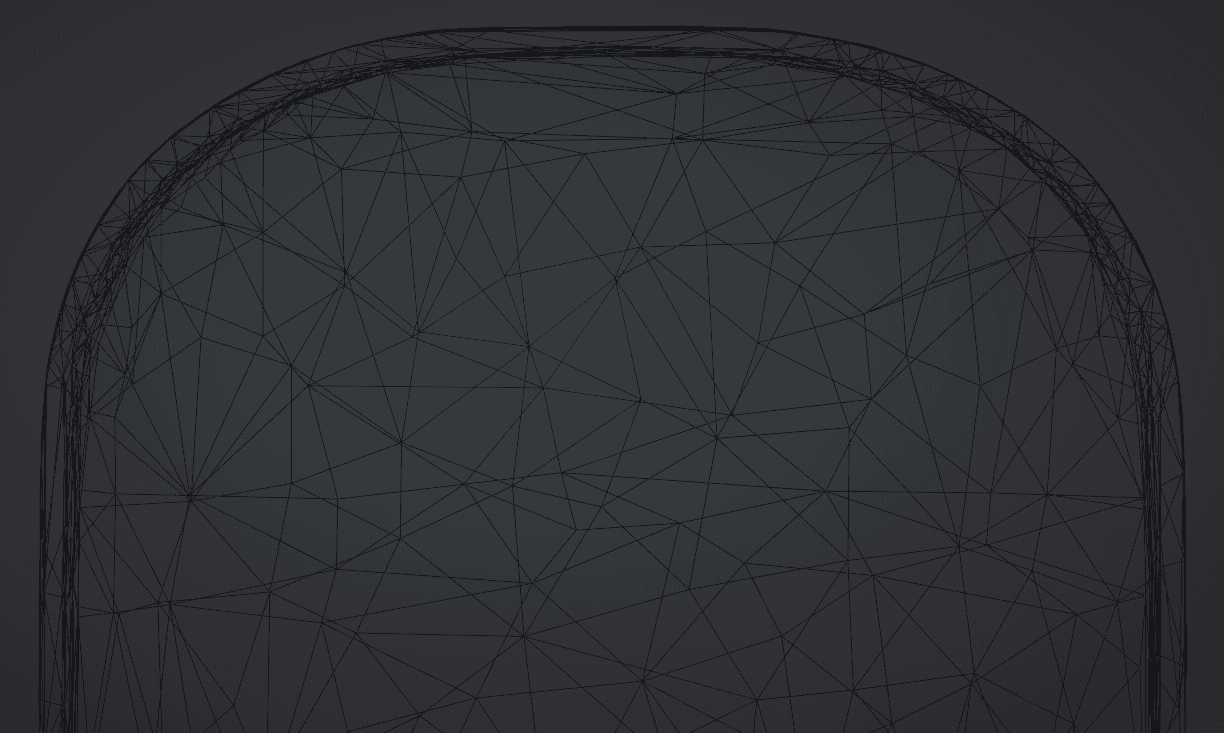
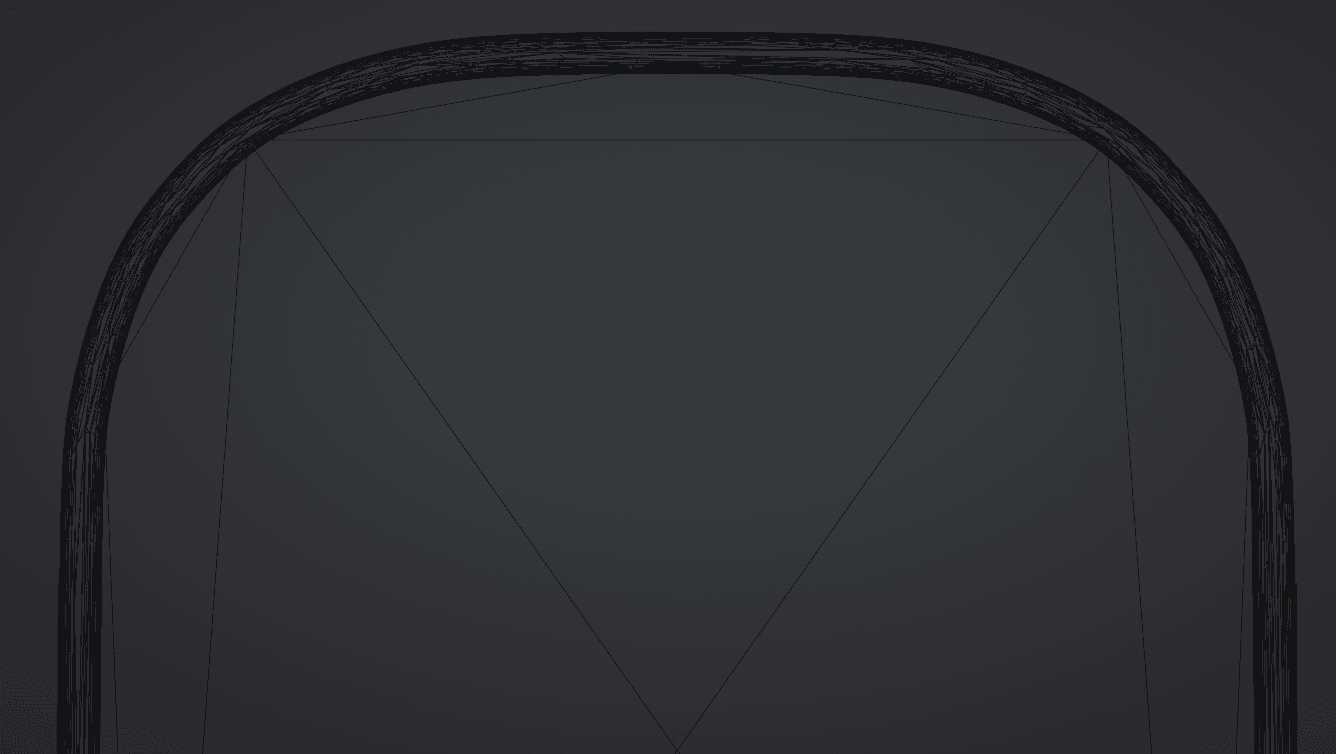
- Look at the first image (AI): The triangles are scattered randomly, like shattered glass.
- Look at the second image (Human): The triangles are organized in logical, structural quads.
If a client asks, "Can you make the handle slightly longer?", on the human model, I can select a loop of polygons and pull. The edit is done in 10 seconds.
On the AI model, I cannot. There are no loops. I would have to sculpt it like clay, destroying the texture in the process. It is actually faster to rebuild the entire model from scratch than to try and fix the AI's topology.
2. The Texture Hallucination
The most damning evidence is in the details. The AI sees pixels in the source image and projects them onto the 3D shape, but it possesses absolutely zero understanding of materials.
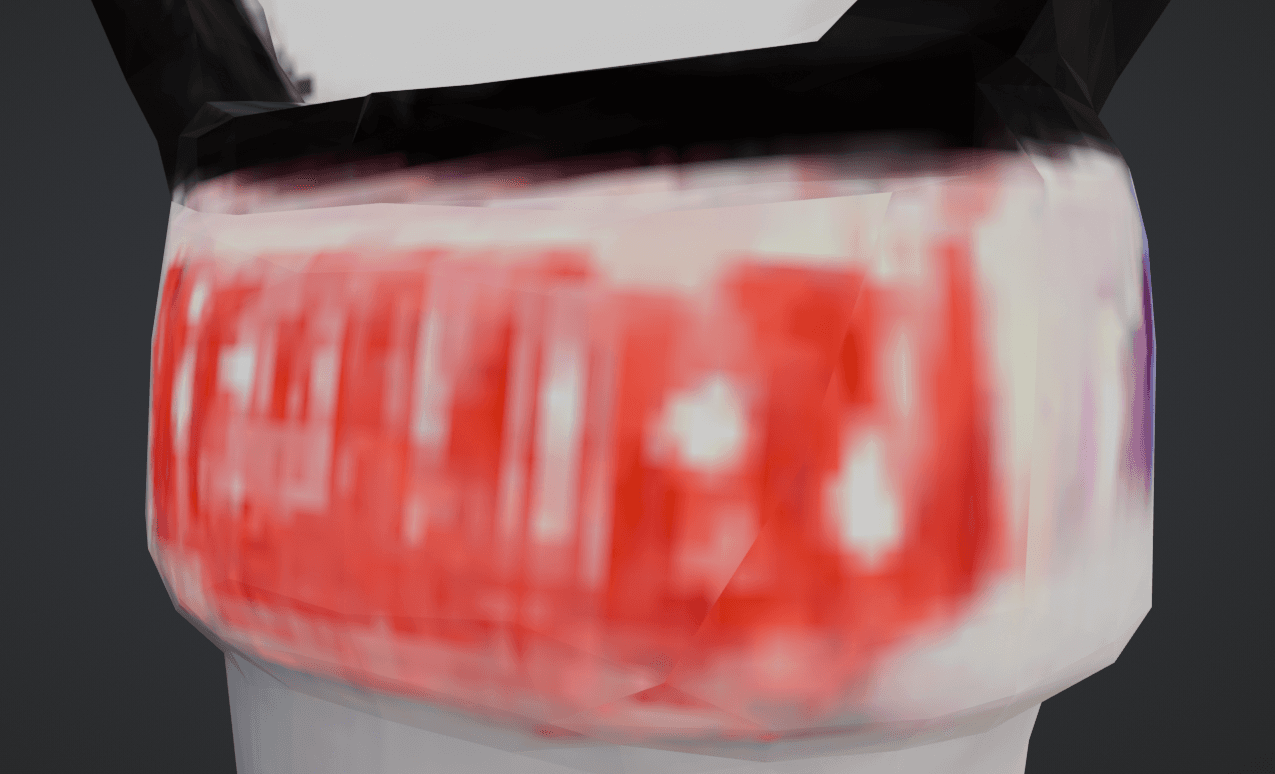
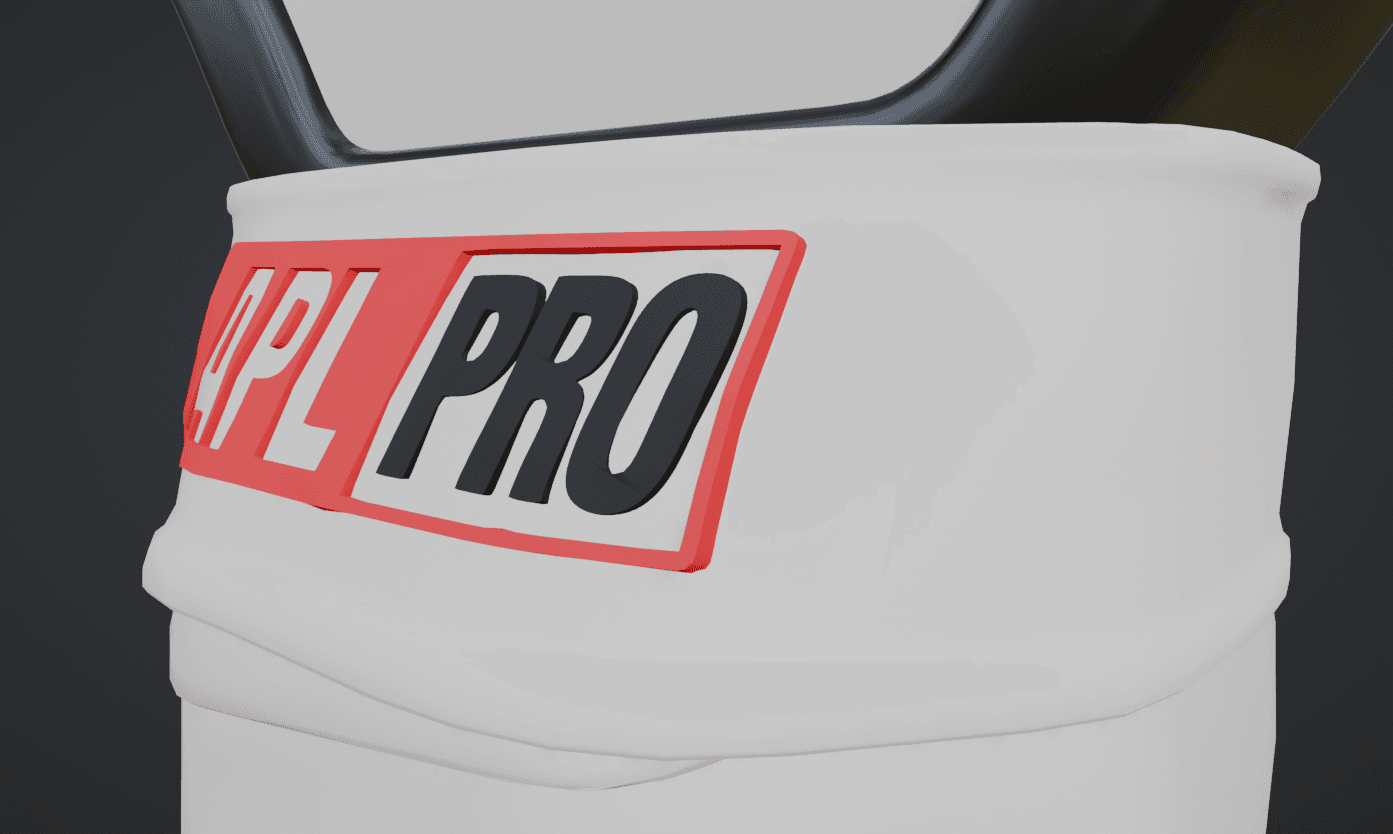
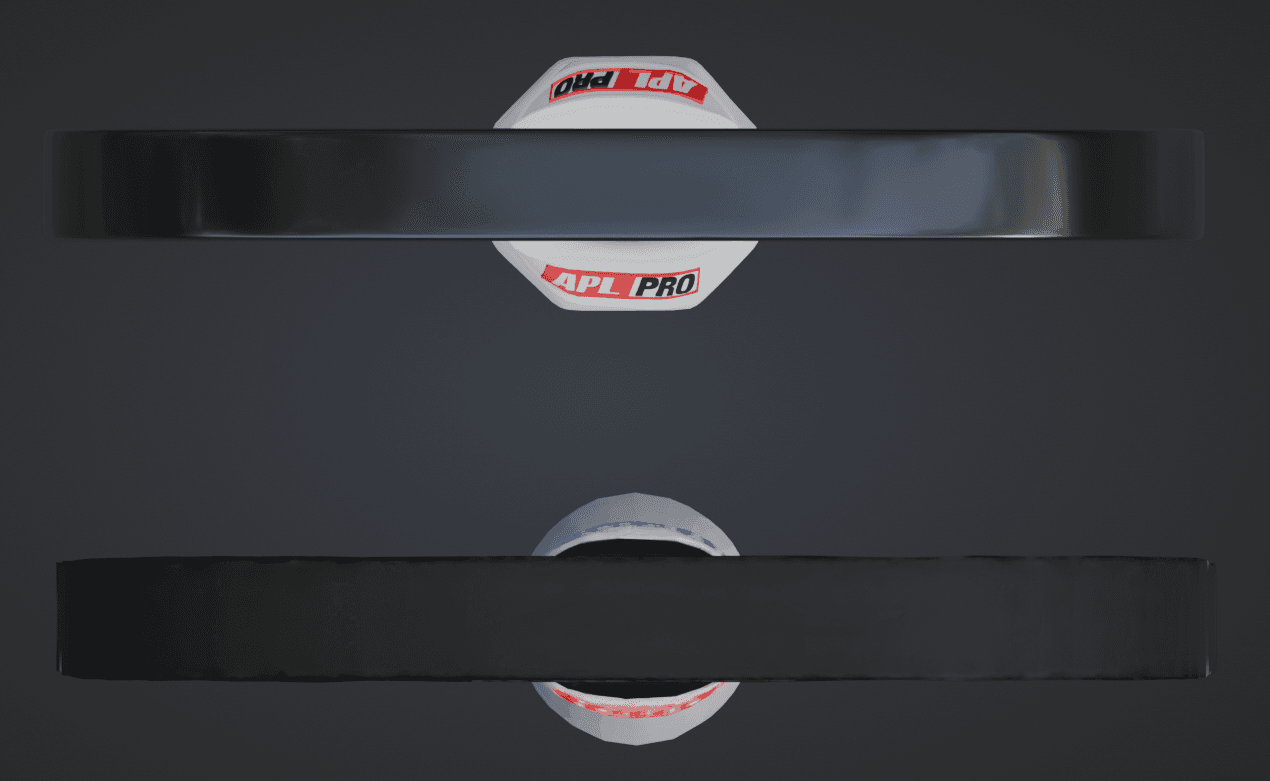
The AI (Left): The grip tape is a low-resolution smear. The branding text ("APL PRO") has been melted into an illegible blue blob. The lighting is "baked in," meaning if you rotate the paddle, the shadows don't move. It looks like a PlayStation 2 game texture.
The Human (Right): The grip tape has a PBR (Physically Based Rendering) normal map applied, meaning the bumps interact with light natively in the 3D viewer. The text is crisp geometry or a high-resolution decal.
We should also talk about the UV maps, which become nearly unusable. When you unwrap the 3D model to look at the raw texture file, you get this:
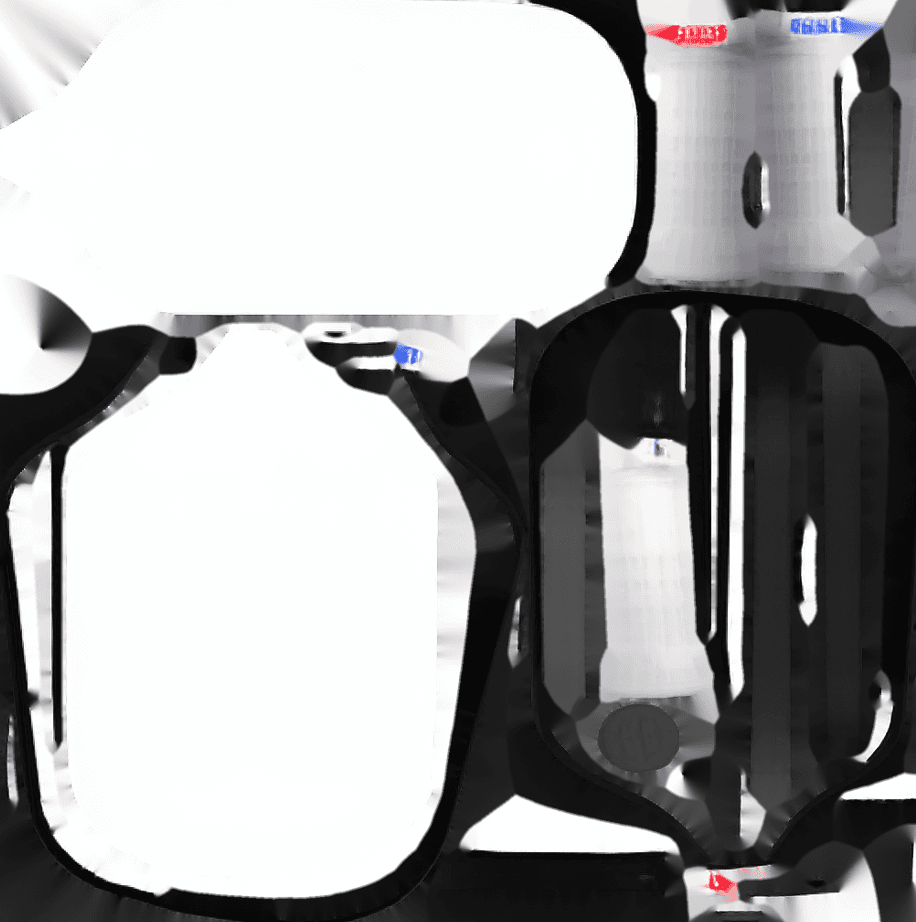
The fully generated texture from the AI looks like a big soup of random, terrible quality pixels that literally needs to be thrown out. There are no logical seams, making it impossible for an artist to open this in Photoshop and swap out a logo or fix a color code.
3. The "Fake Efficiency" Metric
There is a misconception that AI 3D is "bloated." Models like Trellis do indeed output small meshes, which is good on paper. Actually, the AI model output a file that was around 1MB. Our handcrafted model is 800KB.
Our hand-crafted mesh actually has a lot more vertices. So the AI is comparable in size, right? Somewhat... but in efficiency, not even close.
The AI's 1MB is spent on useless, chaotic triangles that define a wobbly, asymmetric shape.
The human's 800KB is spent on smart, dense geometry placed exactly where it's needed, paired with high-quality, editable texture maps.
It is not about the file size; it is about the quality per kilobyte. The AI gives you 1MB of trash. The human gives you 800KB of a production-ready e-commerce product.
What Does This Mean for E-Commerce 3D Pipelines?
It means that the human touch is still very much required. A good 3D modeler models intuitively, understanding where to place geometry for clean edge flow and how to create clean UV maps that can easily be modified.
The AI model on the other hand attempts to reduce the geometry to keep the file size low. But because it doesn't intuitively understand the shape, it removes geometry from important structural places (like the edge of the paddle) and leaves geometry in completely useless places.
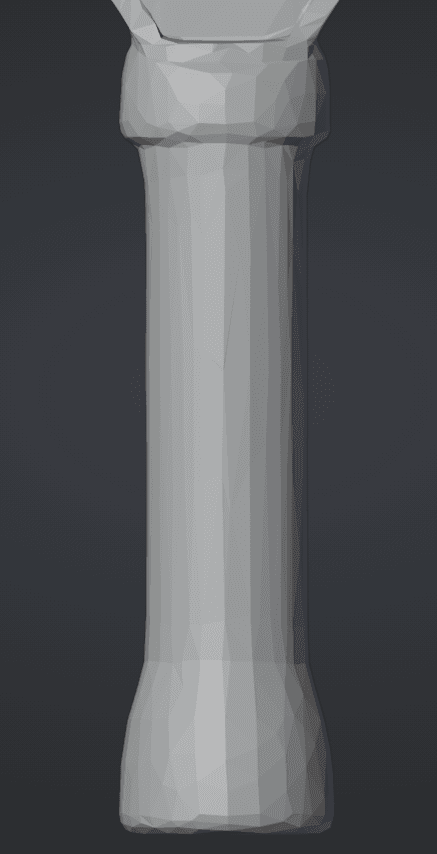
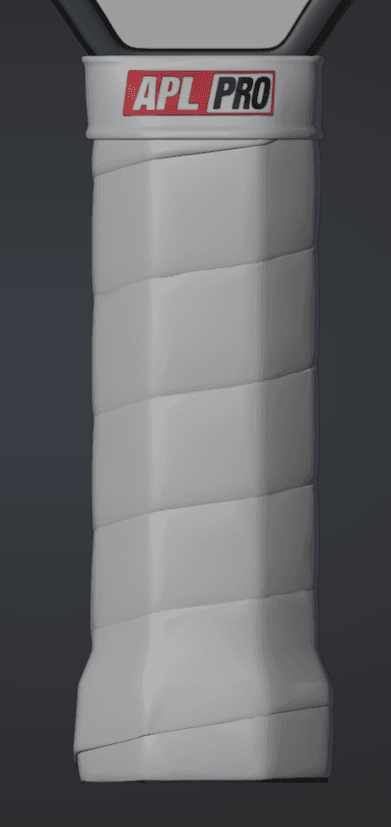
The result is a silhouette that looks inherently lumpy. In e-commerce, trust is visual. If the digital product looks lumpy and cheap, the customer assumes the physical product is low quality.
The Reality of the "Time-Saving" Illusion:
If you use an AI model, you might think you are saving 4 hours of initial modeling time. However:
- You cannot fix the texture to match brand guidelines.
- You cannot easily adjust the shape for iterations.
- You cannot animate it properly due to bad edge flow.
- It looks demonstrably "cheap" in a standard web viewer.
To fix these glaring issues, a 3D artist has to "retopologize" (manually trace over) the entire AI model. This salvage process actually takes longer than just modeling the object from scratch because the artist is constantly fighting against bad geometry.
The Takeaway: A human touch is mandatory... for now.
Until AI models can natively output clean topology and separated PBR materials (roughness, metalness, normal maps) instead of just "colored geometry," they are effectively just 3D clip art.
Are they useful for background assets that will never be looked at up close? Maybe. Are they useful for selling a high-end, $200 physical product in a 3D product configurator? Absolutely not.
But as is seeming to be the norm with AI, a few years from now this post may not have aged well.
Looking for production-ready 3D?
Written by Sean Chenoweth, Founder of Aircada. We build handcrafted, high-converting 3D product configurators for Shopify and e-commerce brands like American Pickleball League, Cinch Gaming, Flexifoil, the infamous Kazoos.com, and many more. No slop, just clean topology and squeaky clean textures.
Discuss your 3D project