Auto-resizing studio floor shadows for 3D models
Products without accurate floor shadows look like they are floating in mid-air, while baked static shadow planes break as soon as a shopper adds a modular extension or changes product dimensions. Aircada generates soft floor contact shadows and directional self-shadows that resize automatically whenever product dimensions or modular parts change.
Static shadow planes break on configurable assemblies
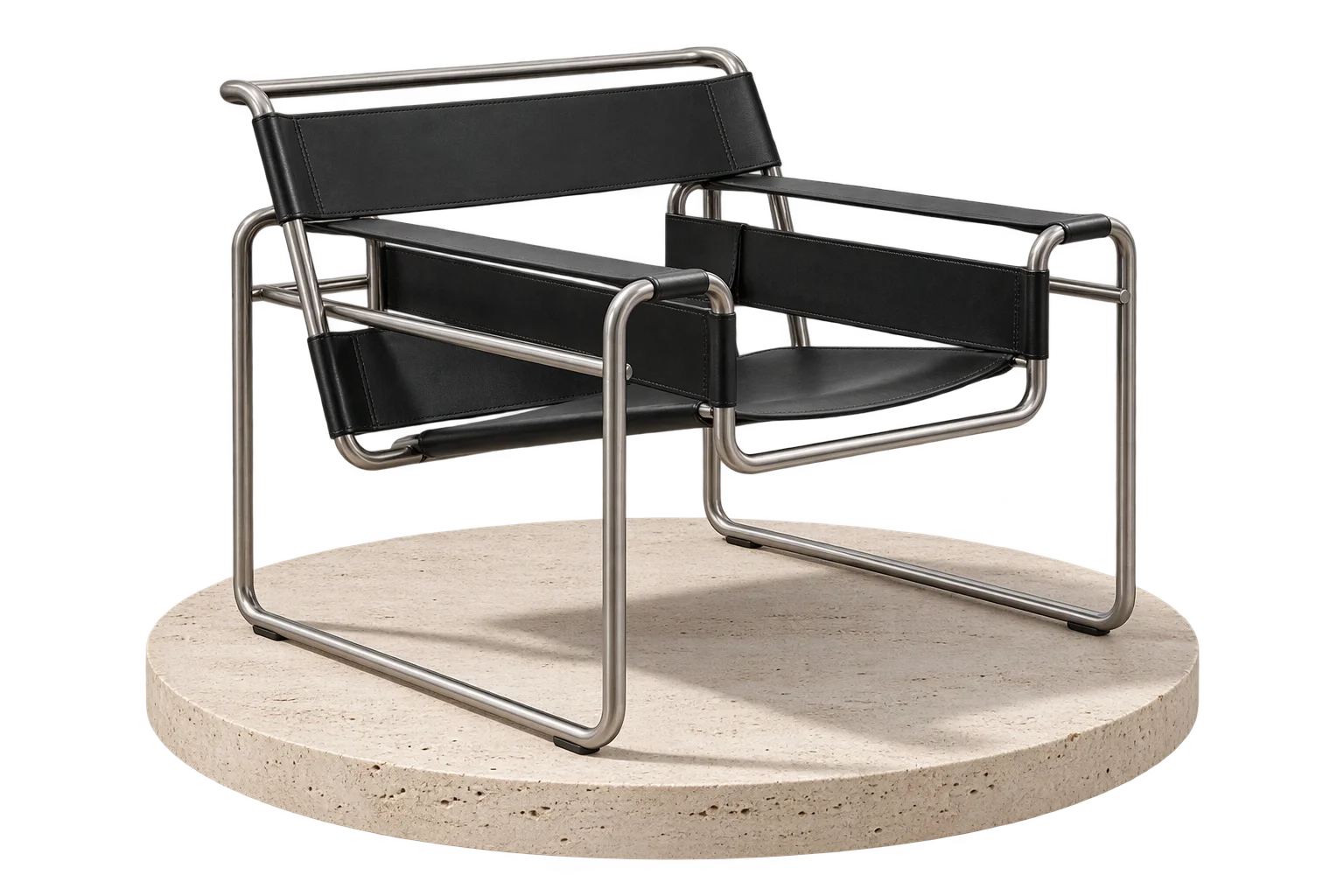
In traditional 3D product viewers, artists bake an ambient occlusion shadow onto a flat PNG plane underneath the model. That works for a fixed chair, but the moment a shopper adds an L-shaped chaise module, extends a dining table from 60 inches to 108 inches, or opens an articulated cabinet door, the baked PNG shadow no longer matches the product's footprint.
Standard real-time directional shadow maps struggle too: they often leave a detached gap where legs meet the floor or show jagged pixelation when the assembly grows wide. Aircada pairs an upward-facing orthographic ground contact shadow pipeline with configurable directional light self-shadows so products sit solidly on any storefront backdrop while buyers configure assemblies for Shopify or headless checkout.
Eliminate the floating-product illusion
Compare a raw single-pass directional shadow map against Aircada's upward orthographic contact capture paired with soft directional self-shadowing.
Standard shadow map (hard jagged edges & floating feet)
Single directional shadow passes lose fine contact occlusion right where table legs, tires, or pedestals touch the floor, and static baked shadow PNGs misalign the moment a buyer changes dimensions.
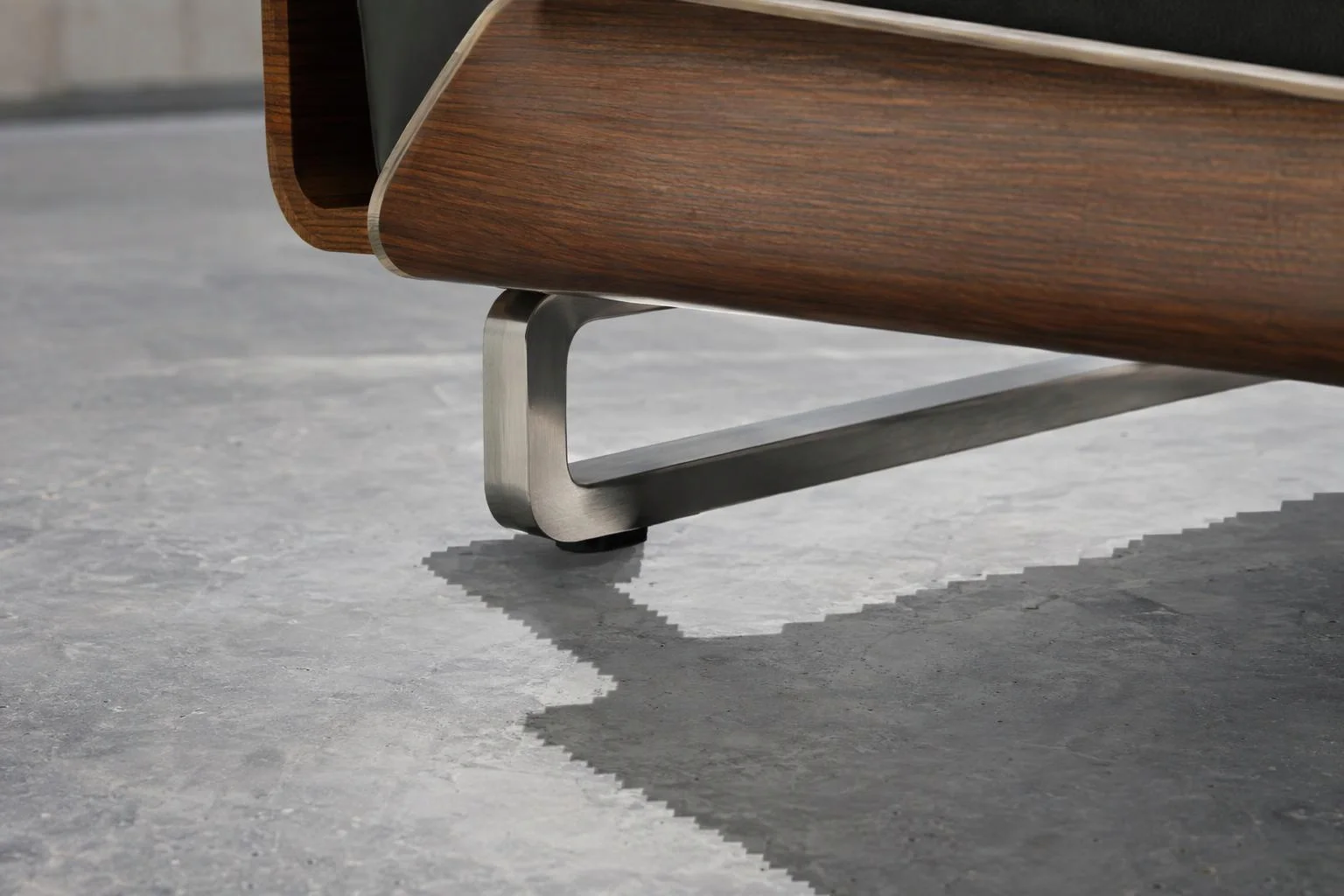
Visible gap where narrow legs or wheels meet the floor surface
Harsh pixelated shadow edges on wide modular assemblies
Baked PNG floor shadows clip or sit off-center after resizing
Aircada Ground Contact + Soft Directional Self-Shadows
An upward orthographic depth pass captures tight darkness beneath every contact point, softens higher geometry through two 17-tap Gaussian blur passes, and rescales automatically as assemblies change.
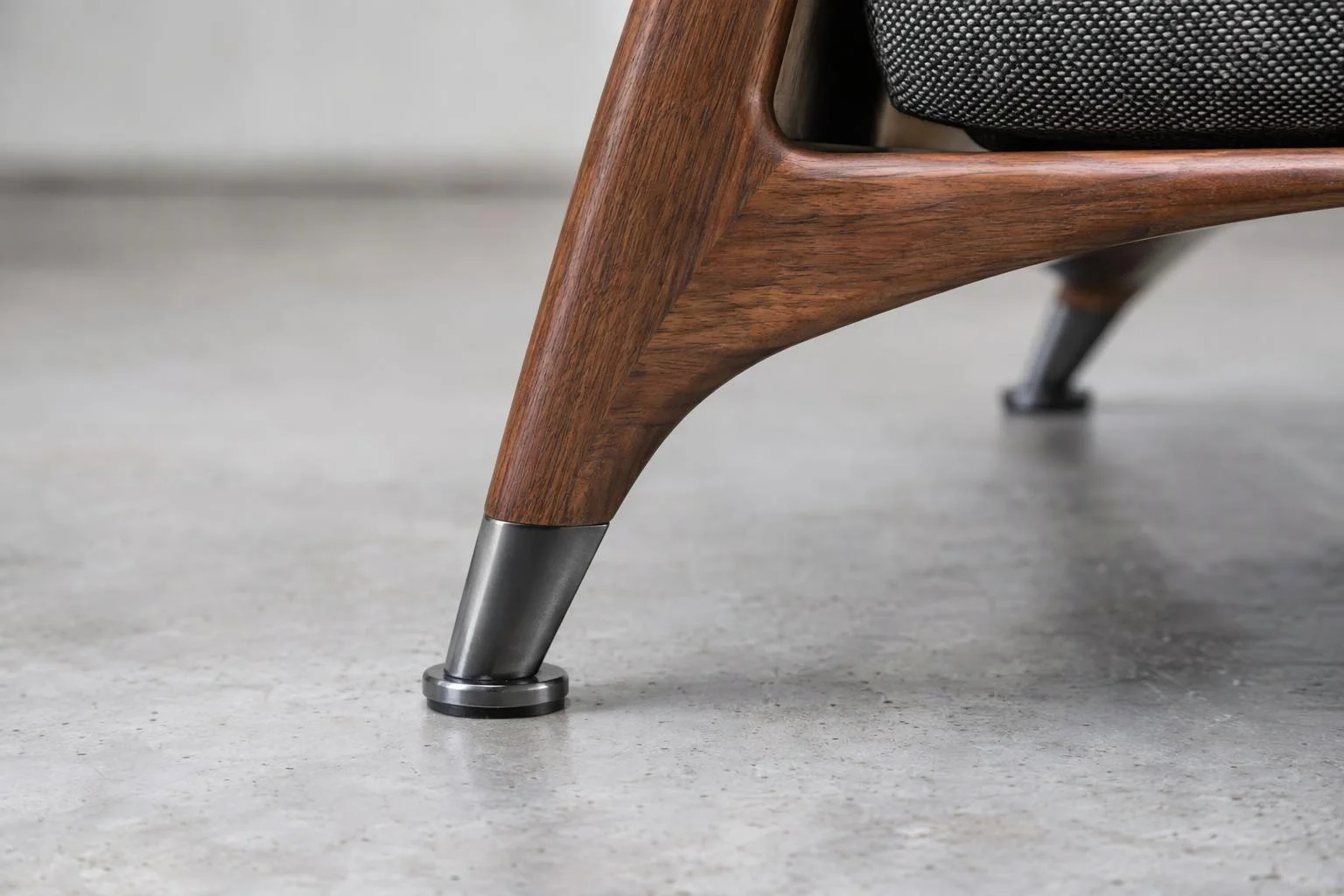
Crisp height-attenuated contact occlusion anchored under every foot and wheel
Smooth two-pass 17-tap Gaussian penumbra upsampled at 2x resolution onto an alpha-blended floor plane
3x padded live bounding-box tracking expands automatically when modules are added or resized
How Aircada combines contact grounding with self-shadowing
Orthographic floor occlusion plane
Vertical depth-falloff capture: An orthographic camera below the floor looks straight up at only registered shadow-casting meshes, capturing a height-attenuated silhouette where parts closest to the floor cast dark, tight contact shadows and higher parts fade into a soft penumbra. Two-pass 17-tap Gaussian blur: The captured depth silhouette passes through two sequential separable 17-tap Gaussian blur passes into a 2x upsampled target for smooth studio gradients with zero stair-stepping. Live bounding-box tracking: Registered casters update their world bounding boxes with 3x padding so the ground shadow plane automatically expands and repositions whenever parts move, resize, or swap.
Multi-mode light shadows & curved-surface bias control
Configurable shadow filtering: Supports Basic, PCF, PCF Soft, Soft, and VSM shadow maps across directional, spot, and point lights (plus dual-ring 16-tap Poisson filtering in the TSL shadow shader library) for realistic self-shadowing across backrests, armrests, and recessed panels. Tunable coverage & softness: Art directors control shadow map size, area coverage, blur radius, and depth bias directly in Studio. Curved-surface acne protection: Directional and spot lights apply calibrated depth bias paired with a fixed normal-offset bias to eliminate striped self-shadow artifacts on curved metal tubes and upholstered cushions.
| Shadow Layer | Studio Controls & Ranges | Visual & Operational Effect |
|---|---|---|
| Ground Contact Resolution | 512 px to 2,048 px (256 px steps, default 1,024 px); second blur pass upsamples 2x | Balances sharp contact detail beneath thin legs against smooth floor gradients. |
| Height Falloff & Softness | Max Height 0 to 10 (default 5), Blur 0 to 1 (second pass 3x strength), Opacity 0 to 1, full RGBA shadow tint | Controls how quickly upper geometry fades into soft studio penumbra and matches warm or dark page backdrops. |
| Light Tracking & Skew | Follow Light toggle (auto-tracks primary scene light spherical angle) or manual Vertical/Horizontal offset (-1 to 1), plus plane position and rotation | Shifts floor shadow direction automatically when your studio key light moves. |
| Directional & Spot Self-Shadows | 5 shadow map modes (Basic, PCF, PCF Soft, Soft, VSM), Map Size 512 to 1,024 px, Area Size 0 to 100, Radius 0 to 1, Bias 0 to 1, VSM Blur 0 to 1 | Adds realistic part-on-part shading across overhangs and crevices while preventing curved-surface striping. |
| Layer & Transparency Isolation | Dedicated shadow-caster render layer; alpha-blended floor plane with depth writing disabled | Excludes UI gizmos and arrows from shadow capture and composites cleanly over transparent CSS page backgrounds. |
Studio lighting precision without manual shadow baking
STUDIO CONTROLS
Never clips when assemblies grow
Add modular sofa sections or extend a dining table to 108 inches, and the 3x-padded bounding-box watcher automatically rescales the ground shadow plane to fit the new footprint.
Art-directable opacity, height falloff, and tint
Match warm editorial studio backdrops or dark slate themes by tuning shadow opacity, vertical height cutoff, two-pass blur strength, and subtle RGBA color tinting.
Automatic light-angle tracking
Enable Follow Light so the ground shadow subtly skews away from your scene's primary light source, or switch to manual horizontal and vertical offset sliders for locked catalog styling.
Helper and gizmo exclusion
The upward capture camera reads only the dedicated shadow-caster layer, ensuring dimension arrows, transform gizmos, and UI overlays never cast ghost shadows on the floor.
Responsibility Tiers
- 1 Native Aircada layer
- 1 Aircada Configuration layer
- 1 Custom Implementation layer
- 1 External layer
Responsibility Boundaries for Ground & Directional Shadows
How Aircada's shadow engine, Studio environment settings, and 3D mesh alignment divide responsibilities.
Upward orthographic depth capture, 2-pass 17-tap Gaussian blur & bounding-box tracking
- Native Aircada
- Automatic ground-plane contact shadow generation with 3x padded caster bounds, transparent floor compositing, and multi-mode directional/spot light shadow maps with normal-bias acne protection.
Shadow opacity, blur, max height, tint & resolution (512 px to 2,048 px)
- Aircada Configuration
- Configured in Aircada Studio's Environment & Shadow inspector to tune contact softness, Follow Light skew, and per-light shadow parameters.
Per-mesh shadow casting and receiving toggles for glass or decals
- Custom Implementation
- Enabling or disabling shadow casting on specific transparent overlays, emissive screens, or floating callout meshes during scene setup.
Aligning base 3D product feet or wheels flush with the floor plane
- External
- Positioning the source 3D model so its tires, legs, or pedestal base rest evenly on the world floor plane for crisp contact occlusion.
Frequently Asked Questions
What happens to the floor shadow when a customer changes the width or length of a table?
How does Aircada keep floor shadows smooth without jagged pixel blocks?
Can I use ground contact shadows on a transparent background so my website's CSS background shows through?
Why does Aircada combine a ground shadow generator with directional light shadow maps?
Stream live MP4 and WebM video onto 3D screens and LED walls
Bring TVs, arcade cabinets, digital signage, and smart-home dashboards to life with hardware-accelerated WebGPU video textures and mobile autoplay latching.
Related capabilities
Explore the adjacent capabilities and integrations that pair with this workflow.
Realistic 3D glass refraction for bottles and gems
True-to-life 3D mirrors, chrome, and floor reflections
Made-to-measure 3D sizing with true-scale textures