Product Customization
Let shoppers swap modular hardware, upload logos, preview laser engraving, build die-cut stickers, and personalize 3D lettering directly on your product page.
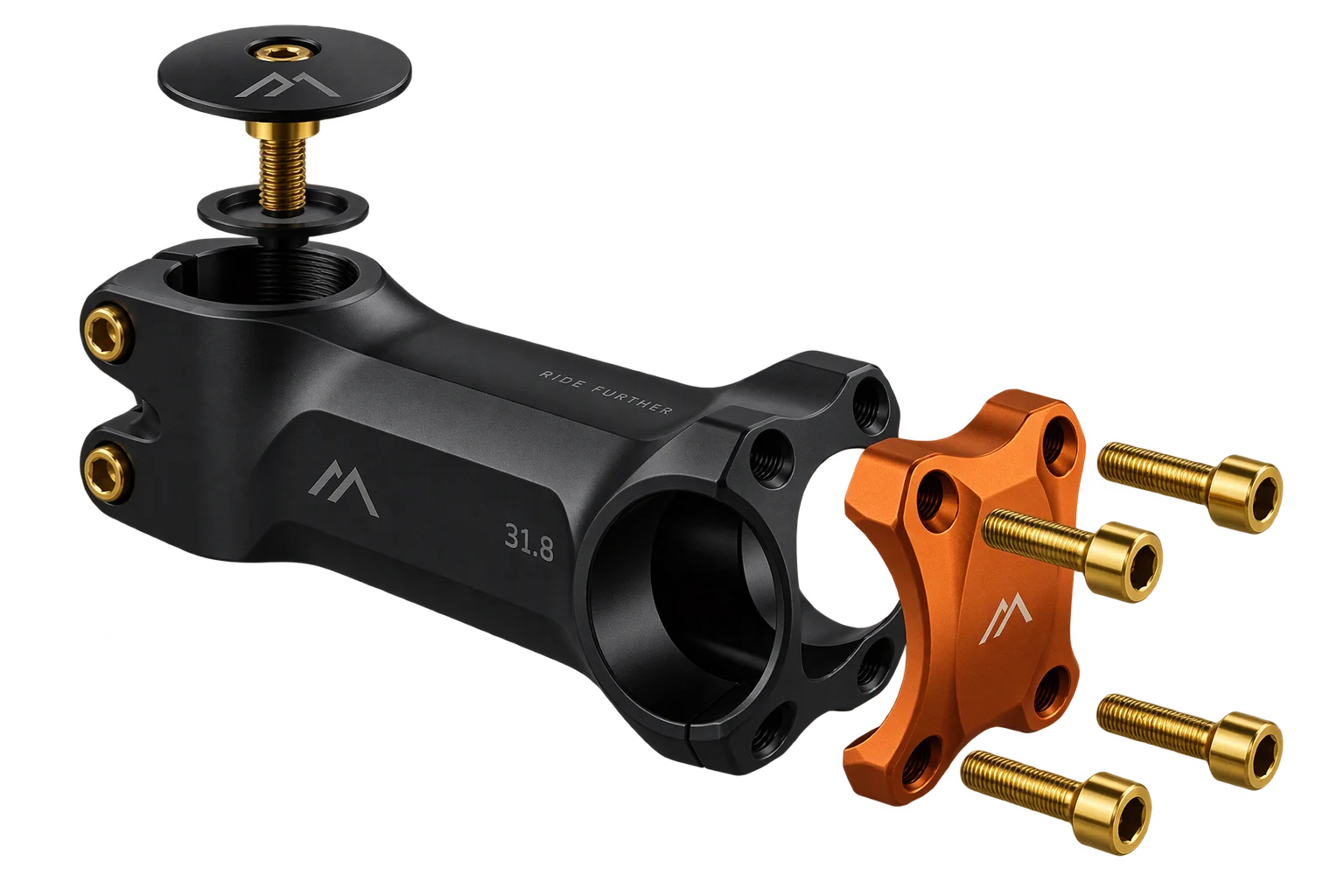
What interactive 3D product customization covers in Aircada
Aircada's product customization layer is the customer-facing 3D editing suite inside our configurable commerce platform. It combines modular part swapping, manufacturing-safe engraving, logo uploads, die-cut stickers, dimensional lettering, multiline labels, freehand surface drawing, and non-Latin script previews on one product page, with every choice locked to real production tolerances.
Flat 2D overlays let shoppers stretch logos, place text outside laser jigs, or guess how finishes and hardware actually fit together. Production teams end up fixing distorted uploads and translating freeform checkout notes into shop-floor instructions.
Real-time 3D part, finish, and hardware swaps
Preview laser engraving and monograms in 3D
Customer logo and artwork uploads in 3D
Arabic, Hebrew, and Japanese 3D text personalization
Instant photo cutouts and die-cut 3D stickers
Custom 3D extruded lettering and dimensional signs
Freehand drawing and signatures on 3D products
Multi-field 3D product labels and packaging text
Hardware swapping and modular visual options
For multi-part physical goods, component showcase lets buyers swap shells, trims, fasteners, and surface finishes with automatic zone camera focus. Every selection stays bound to structured option SKUs so checkout receives an exact parts list instead of ambiguous text notes.
Logo uploads, die-cut stickers, and freehand surface artwork
When shoppers supply their own graphics, customer artwork uploads enforce aspect ratios and approved print zones while stripping solid white backgrounds in the browser. For consumer photo products and custom decals, die-cut stickers isolate subjects from cluttered smartphone photos and generate crisp die-cut borders directly on the 3D surface. For handwritten notes or signatures on curved surfaces, 3D surface drawing captures camera-locked mouse, touch, or stylus strokes as a clean texture linked to the order.
Engraving, 3D lettering, multiline labels, and global scripts
Text-heavy products often break under single-line inputs. Aircada supports recessed or embossed 3D laser engraving locked to per-SKU safe zones, beveled 3D extruded lettering generated from custom TrueType fonts, and dynamic 3D labels for multi-field packaging, rating plates, and dedication blocks. Brands serving international buyers can add multilingual transliteration to convert Latin-keyboard input into verified Arabic, Hebrew, or Japanese scripts directly on the model.
How buyer customization stays manufacturable
Every interactive control enforces physical placement zones before checkout.
Swap hardware and finishes in real time
CONFIGUREBuyers explore valid parts and materials through Component Showcase with focused zone cameras.
Add constrained text, logos, or drawings
PERSONALIZEShoppers apply engraving, logos, die-cut stickers, labels, or 3D lettering inside locked zones.
Enforce safe zones and live pricing
VALIDATEPer-SKU boundaries, aspect locks, and dynamic pricing rules prevent unbuildable placements before payment.
Attach clean artwork and specs to the order
EXPORTCheckout stores original artwork URLs, font and text metadata, and visual proofs ready for fulfillment.
Connected to Shopify checkout and factory fulfillment
Every configuration workflow ties into Shopify or headless checkout payloads, live pricing and proofs, and automated production files. Merchants like Cinch Gaming and Mountain Flow use these live 3D controls to raise conversion and eliminate manual pre-press cleanup without bloating store variants.
| Operational Problem | Aircada Capability | What Your Team Receives |
|---|---|---|
| Multi-part hardware and finish options overwhelm static dropdown menus | Component Showcase | Live 3D part, finish, and hardware swapping with zone camera focus, exact parts list, and visual proof saved to every order. |
| Shoppers cannot verify engraved text placement or monogram depth before buying | 3D Laser Engraving | Realistic recessed or embossed previews locked to per-SKU safe zones with saved text, font, placement, and visual proof on the order. |
| Customer logo uploads arrive stretched, misaligned, or trapped in white boxes | Customer Artwork Uploads | Aspect-ratio-locked 3D placement inside approved print zones, browser solid-background cleanup, and original artwork links tied to the order. |
| Cluttered smartphone photos fail as custom stickers or product decals | Die-Cut Stickers | Automated background removal, face or subject cutout isolation, and crisp die-cut sticker outlines previewed on the 3D model before checkout. |
| Custom signs and dimensional text orders require manual 3D mockups | 3D Extruded Lettering | Real-time beveled 3D lettering generated from custom TrueType fonts with accurate depth, spacing, and material finishes. |
| Single-line text inputs break on multi-field labels, rating plates, and dedication blocks | Dynamic 3D Labels | Live HTML/CSS templates and multiline canvas typography mapped straight onto 3D textures with custom fonts and automatic font-size fitting. |
| Rigid text boxes cannot capture signatures or freehand drawings on curved products | 3D Surface Drawing | Camera-locked mouse, touch, or stylus drawing directly across curved 3D geometry with a clean exported surface texture linked to the order. |
| Latin-keyboard shoppers need accurate Arabic, Hebrew, or Japanese personalization | Multilingual Transliteration | Live non-Latin script conversion previewed with verified fonts on the 3D model, saving the buyer-confirmed inscription and font reference on the order. |
